
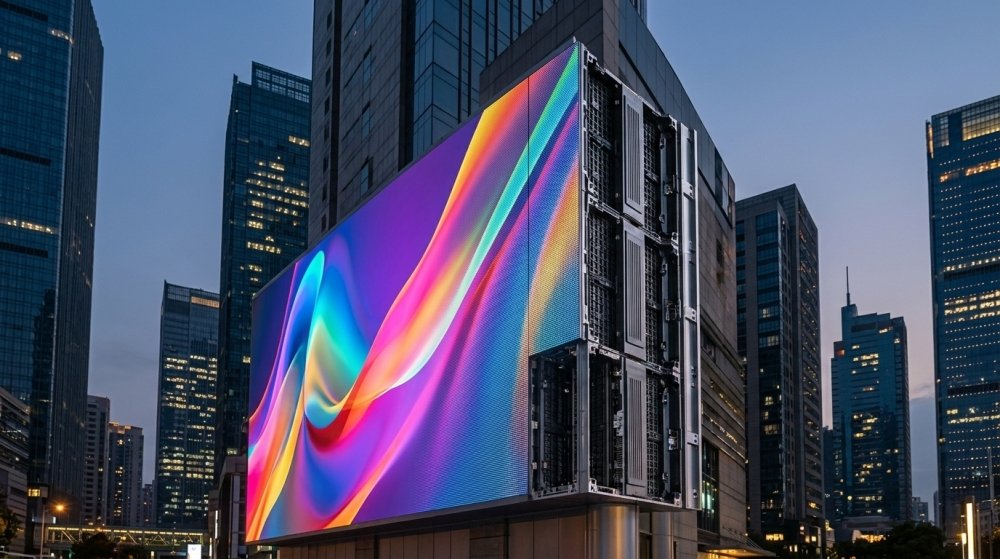
Choosing the right outdoor LED display screen is one of the most important decisions you’ll make for any advertising, event, sports venue, or public information project. With dozens of pixel pitches, brightness levels, cabinet types, and control systems on the market, it’s easy to end up with a screen that doesn’t match your budget, your environment, or your audience. This guide walks through every factor you need to evaluate before you buy.
1. Define the Primary Use Case First
Before comparing specifications, get clear on how the screen will actually be used:
- Advertising and digital signage — roadside billboards, building facades, retail storefronts
- Sports and stadium screens — scoreboards, perimeter boards, big screens
- Event and rental screens — concerts, festivals, corporate events (needs to be lightweight and quick to assemble)
- Transportation and public information — bus stations, airports, highways
- Fixed installation vs. mobile/rental — this alone changes cabinet weight, frame design, and serviceability requirements
Your use case determines almost every other spec on this list, so don’t skip this step.
2. Match Pixel Pitch to Viewing Distance
Pixel pitch — the distance between the centers of two adjacent LEDs, measured in millimeters — controls image resolution and the minimum distance at which the picture looks smooth rather than “grainy.”
As a general rule:
- P2.5–P4: best for close-up viewing (under 10 meters), such as retail entrances or small plazas
- P5–P8: mid-range viewing distance (10–20 meters), common for building facades and street-level advertising
- P10 and above: long viewing distances (20+ meters), ideal for highway billboards, large stadium screens, and building-scale installations
A simple rule of thumb many suppliers use: minimum viewing distance (in meters) ≈ pixel pitch (in mm). So a P10 screen is comfortably viewed from 10 meters or more.
3. Check Brightness (Nits) for Sunlight Readability
Outdoor screens compete directly with sunlight, so brightness is non-negotiable. Most outdoor LED displays need somewhere between 4,000 and 7,500 nits, depending on installation direction and local climate. A screen mounted facing direct afternoon sun needs more brightness than one in a shaded or north-facing location. Look for displays with automatic brightness adjustment (ABS), which uses ambient light sensors to raise brightness in daylight and dim the screen at night — improving both visibility and energy efficiency.
4. Confirm the IP Rating and Weatherproofing
Outdoor LED cabinets must be sealed against dust, rain, and humidity. Look for an IP65 rating (or higher) on the front and at least IP54 on the rear, which confirms the display is dust-tight and protected against water jets. Also check:
- Operating temperature range (especially important for very hot or very cold climates)
- UV-resistant coatings on the LED surface to prevent yellowing and color fade
- Corrosion-resistant cabinet materials (die-cast aluminum is the industry standard)
5. Think About Refresh Rate and Viewing Angle
If the screen will ever be filmed or broadcast — for a stadium, concert, or televised event — a refresh rate of 1,920Hz or higher is essential to avoid flickering on camera. For general advertising, a lower refresh rate is usually acceptable. Viewing angle matters too: a wide horizontal and vertical viewing angle (commonly 140°–160°) ensures the image stays bright and color-accurate from the side, not just head-on.
6. Plan for Installation, Structure, and Mounting
Outdoor displays are exposed to wind load, so structural engineering matters as much as the panel itself:
- Wall-mounted installations need a lightweight cabinet and secure bracket system
- Pole-mounted or freestanding structures require wind-load calculations, especially in coastal or high-wind regions
- Rental/mobile screens need quick-lock cabinets that can be assembled and struck efficiently
Always confirm your supplier can provide structural drawings or engineering support for large installations.
7. Evaluate the Control System and Content Management
A modern outdoor LED display should support:
- Remote content management (cloud-based or app-based, so you can update content without on-site access)
- Compatibility with common control systems (Novastar, Colorlight, Linsn are widely used)
- Scheduling and multi-zone content playback
- Redundant power/signal backup for mission-critical installations
8. Compare Suppliers on More Than Just Price
The panel itself is only part of the investment. Before you buy, ask potential suppliers:
- What’s the warranty period, and what does it cover?
- How quickly can replacement modules be shipped if one fails?
- Can they provide installation support or local service partners?
- Do they offer customization for unusual shapes, curved installations, or specific dimensions?
- What certifications does the product carry (CE, RoHS, ETL/UL, CCC)?
A cheaper screen with poor after-sales support often costs more over a 10-year lifespan than a slightly pricier one backed by responsive service.
Final Checklist
| Factor | What to Confirm |
|---|---|
| Use case | Fixed, rental, advertising, sports, signage |
| Pixel pitch | Matches minimum viewing distance |
| Brightness | 4,000–7,500+ nits, with auto-dimming |
| IP rating | IP65 front / IP54 rear minimum |
| Refresh rate | 1,920Hz+ if filmed for broadcast |
| Structure | Engineered for local wind/weather loads |
| Control system | Remote, cloud-based content management |
| Warranty & support | Clear terms, fast spare-parts shipping |
Choosing the right outdoor LED display screen comes down to matching technical specifications to your real-world environment and content strategy — not simply picking the brightest or highest-resolution option available. Take the time to define your use case, verify weatherproofing and brightness for your specific climate, and vet your supplier’s long-term support before making a final decision.